dewa86 Casino Mobile App
We at dewa86 offer football sportsbook markets, live-dealer tables, and slot games through a mobile-first platform. Our app and web experience let you access Liga 1, Piala AFF, Champions League tournaments, and live blackjack, roulette, and baccarat from your phone or tablet. Account opening starts with email verification, KYC documents, and a deposit method—all managed securely on your device.

- SHA256 Match
- DownloadAPK
- LoginOTP Verification
Mobile betting on dewa86 means you can follow live football scores, place wagers on Piala Indonesia matches, and join live-dealer tables without switching between apps or browsers. We support Android and iOS devices, plus a responsive web version for any modern phone. Your account data stays encrypted, and two-factor authentication protects your login.
Our platform is available only where local law permits. Users are responsible for verifying that access and use comply with the laws of their own jurisdiction. If you are unsure whether dewa86 services are available in your region, contact our support team before opening an account.
How to access dewa86 on mobile
We provide three paths to reach dewa86 on your mobile device. Android users can download our APK file directly from our site and install it on phones running Android 7 or later. iOS users access dewa86 through a mobile-optimized web app in Safari or Chrome—no App Store download needed. Desktop and laptop users can also use our web version, which syncs your account across all devices.
Each path uses the same dewa86 account. Log in once, and your balance, betting history, and saved preferences appear on every device. We encrypt all data in transit and at rest, so your payment details and personal information stay protected whether you use Android, iOS, or a web browser.
Installation and setup on dewa86

To start using dewa86 on mobile, follow these four steps. First, download the APK file (Android) or open our web app link (iOS). Second, install the app or bookmark the web address. Third, create your account by entering your email, setting a password, and uploading your identity document for KYC verification. Fourth, add a deposit method—we accept DANA, e-wallet, mobile banking, local payment, online payment, e-wallet, and bank transfers via mobile banking, local payment, online payment, or e-wallet—and make your first deposit.
Once your account is active, you can browse football markets for Liga 1 matches, Piala AFF tournaments, and Champions League fixtures. Live-dealer tables run 24 hours, offering blackjack, roulette, baccarat, and Dragon Tiger with real dealers in multi-camera studios. Slot games like Aviator, Sweet Bonanza, and Gates of Olympus are available instantly. Your account balance updates in real time across all devices.
-
Download or open dewa86
Get the APK file for Android or visit our web app link for iOS and desktop.
-
Install and launch
Complete the installation or bookmark the web address for quick access.
-
Register your account
Enter email, password, and upload your ID document for verification.
-
Add a payment method and deposit
Choose mobile banking, local payment, online payment, or a bank transfer to fund your account.
KYC verification on dewa86 typically completes within a few hours. We ask for your full name, date of birth, identity card number, and a photo of your ID. This step protects your account and ensures compliance with local regulations. Once verified, you can withdraw funds using the same payment method you used to deposit.
App vs. browser on dewa86
Our Android APK app offers offline caching, so you can view your account balance and recent bets even without an internet connection. Push notifications alert you to live football scores, upcoming Piala Indonesia matches, and new live-dealer table openings. The app loads faster than the web version on slower connections and uses less data. However, the web app requires no installation and works on any device with a modern browser—iOS, Android, Windows, or Mac.
We recommend the Android app if you bet frequently and want instant notifications. Choose the web app if you prefer not to install software or if you switch between devices often. Both paths use the same account, so you can start on your phone and continue on your laptop without re-entering your login details.
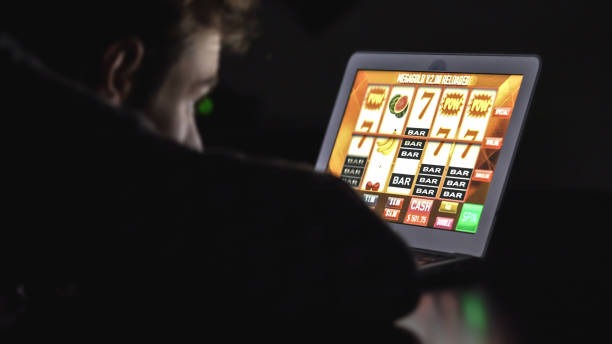
Device compatibility and requirements
Our Android APK runs on phones and tablets with Android 7.0 or later. Most devices from the past five years meet this requirement. The iOS web app works on iPhone 6s and newer, as well as iPad models running iOS 12 or later. For desktop, we support Windows 7+, macOS rules+, and any Linux distribution with a modern browser like Chrome, Firefox, Safari, or Edge. Minimum screen size is 320 pixels wide; we optimize for phones as small as 4 inches and tablets up to 12 inches.
Troubleshooting common installation issues
If your Android phone blocks the APK installation, check your security settings. Go to Settings → Apps & Notifications → Advanced → Special app access → Install unknown apps, and enable it for your browser or file manager. Some phones require you to trust the certificate; this is a standard security step and does not affect your device. If the app crashes after installation, clear the app cache by going to Settings → Apps → dewa86 → Storage → Clear Cache, then restart the app. For iOS users, if the web app does not load, clear your browser cache in Safari or Chrome settings, then try again. If problems persist, contact our support team.
Data, permissions, and account security on dewa86
We ask for permission to access your device's camera (for KYC photo upload), contacts (optional, for account recovery), and location (optional, to verify your jurisdiction). These permissions are optional except for the camera during identity verification. We never sell your data to third parties. Your account is protected by a password and optional two-factor authentication—we recommend enabling 2FA in your account settings. If you forget your password, use the "Forgot password" link on the login page to reset it via email. Your withdrawal requests are reviewed for fraud before processing, which may take a few hours. We store your payment details securely and never display your full card or bank account number after you save it.
We at dewa86 keep your mobile experience fast, secure, and accessible. Whether you use Android, iOS, or a web browser, your account, balance, and betting history sync instantly. Download our app or bookmark our web address today to start exploring football markets, live-dealer tables, and slot games on your schedule.